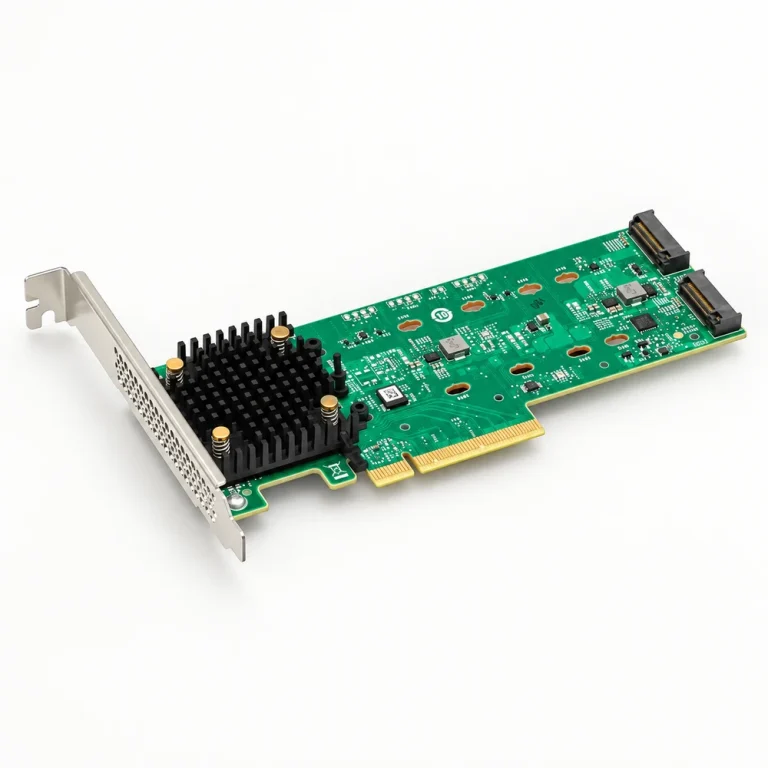
Scope
Boot storage can involve platform-specific form factors, carriers, cables, controllers, and redundancy arrangements.
Request preparation
Provide the server platform, boot architecture, interface, capacity, form factor, carrier or cable needs, firmware context, quantity, and replacement constraints.
Technical parameters and selection boundaries
Published configurations differ by manufacturer and exact part number. These are selection dimensions, not one combined specification.
| Parameter | Documented example or choice | Verify for this request |
|---|---|---|
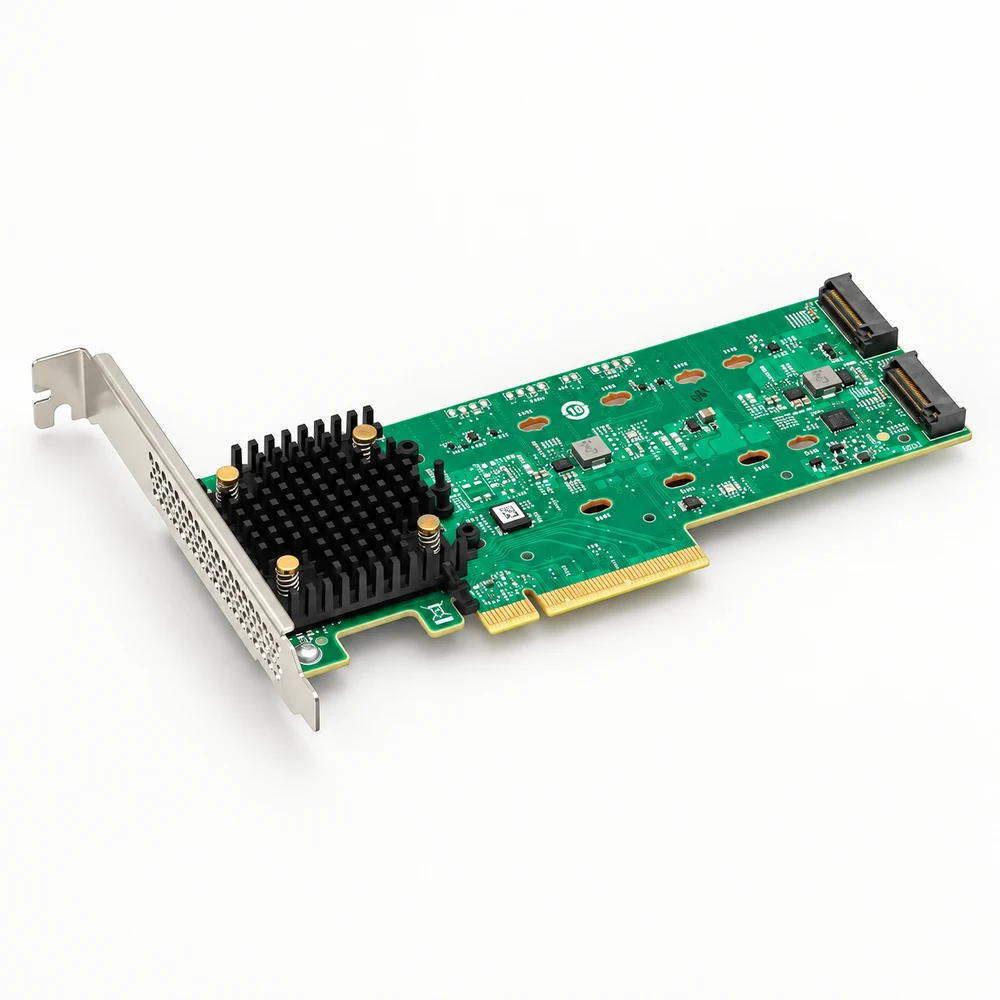
| Boot adapter example | Broadcom MegaRAID 9520-2M2 provides two onboard M.2 positions. | This is an adapter; the product brief explicitly states that M.2 drives are not included. SSD capacity, endurance and firmware are separate selections. |
| Host interface | PCIe Gen 4.0 x8 host interface. | Confirm slot size, available lanes, firmware and server support before selecting the adapter. |
| Drive interface | Two M.2 NVMe drives or two M.2 SATA drives; Gen 4.0 NVMe (x1/x2/x4) and 6 Gb/s SATA are documented. | Do not infer mixed SATA/NVMe RAID-pair support from the list of interfaces. Confirm a supported matching pair. |
| Drive lengths | 2230, 2242, 2260, 2280 and 22110 are listed in the product brief. | Confirm mounting positions, SSD keying, component clearance and the current drive compatibility list. |
| RAID modes | RAID 0 and RAID 1. | Select the required boot design and recovery procedure. RAID does not replace a backup of the operating system and configuration. |
| Board dimensions | 167.51 ±0.13 mm × 68.77 ±0.13 mm; low-profile, half-length adapter. | Check chassis, bracket and airflow clearance; dimensions do not guarantee fit in a proprietary server slot. |
| Environmental limits | Operating: 0–55 °C, 5–90% RH non-condensing. Storage: −40–70 °C, 10–95% RH non-condensing. | Adapter-specific conditions; the selected M.2 drives can have different thermal and cooling requirements. |
| Electrical requirements | 12 V ±8% and 3.3 V ±9% are documented operating rails. | The brief refers power requirements to the user guide; no wattage is inferred for an adapter plus two SSDs. |
Standard configurations and project options
| Configuration area | Documented option | Project decision |
|---|---|---|
| SSD configuration | Specify two compatible drives, required capacity, interface, endurance and firmware. | The adapter ordering code does not identify or include SSDs. Validate the drive pair separately. |
| Management and recovery | The brief names StorCLI and HII management interfaces. | Confirm driver, operating-system version, boot firmware and rebuild procedure for the intended platform. |
Representative models and configurations
Examples illustrate real product variation. A listed manufacturer or model is not a statement of our stock, authorization, or confirmed availability.
| Manufacturer / series | Published configuration | Important scope |
|---|---|---|
| Broadcom MegaRAID 9520-2M2 / 05-50148-03 | Single-pack ordering code; PCIe Gen 4.0 x8 boot adapter with two onboard M.2 positions and RAID 0/1. | Product brief 9520-2M2-PB102, 19 March 2025. M.2 drives are separate; no stock or universal platform compatibility is implied. |
Applications and procurement context
- A two-drive boot adapter can separate operating-system storage from primary data bays when the server supports the complete configuration. Specify the adapter, both SSDs, boot mode, RAID policy and recovery plan as distinct requirements.
Compatibility, current supply, lead time, origin, and acceptance documents must be confirmed for the actual order.